Git Hooks: Automate Your Development Workflow
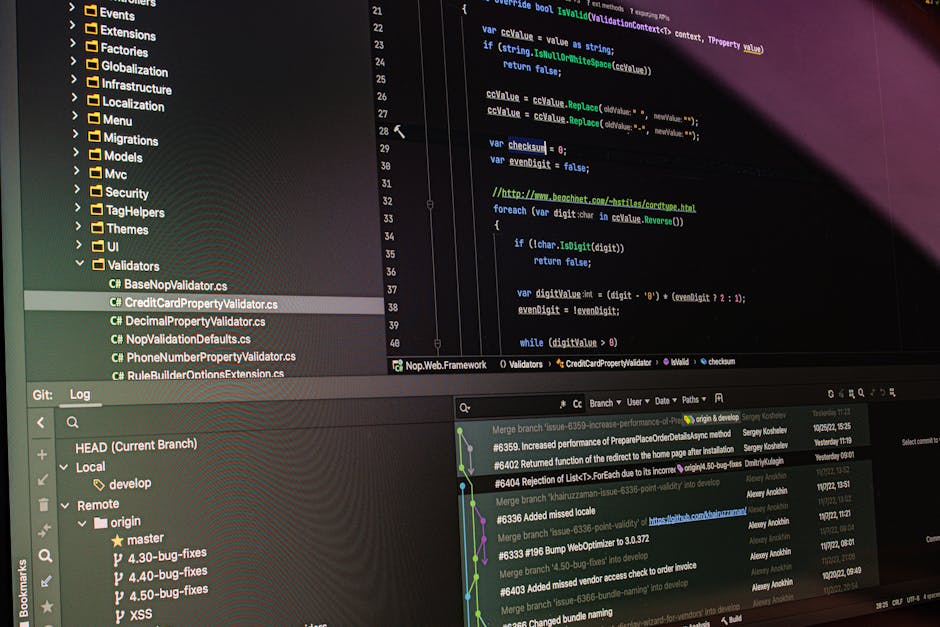
Photo by Daniil Komov on Pexels
Git Hooks: Automate Your Development Workflow
Git hooks are custom scripts that run automatically at specific points in the Git lifecycle. They enforce code quality, prevent common mistakes, and streamline team workflows without requiring any external CI configuration. Despite their power, many developers never use hooks beyond the default templates or simply ignore them altogether. In this article, we explore practical Git hook implementations that will transform how you and your team use version control on every single commit.
Understanding Git Hooks
Every Git repository contains a .git/hooks directory with sample scripts. To activate a hook, remove the .sample extension and make the file executable. Git executes the hook scripts synchronously — if a hook exits with a non-zero status, the Git operation is aborted entirely. This means hooks can act as hard gates that prevent bad code from entering your repository at any stage of the development process.
Client-Side vs Server-Side Hooks
- Client-side hooks: Run on the developer’s machine. Includes pre-commit, prepare-commit-msg, commit-msg, post-commit, pre-push, and post-checkout. These are the most commonly implemented hooks because they provide immediate feedback during development.
- Server-side hooks: Run on the remote repository. Includes pre-receive, update, and post-receive. These enforce team-wide policies that individual developers cannot bypass, making them essential for shared repositories.
1. Pre-Commit Hook: Code Quality Gate
The pre-commit hook runs before each commit is recorded. It is the ideal place to run linters, formatters, and unit tests. If any check fails, the commit is blocked and the developer gets immediate feedback at the exact moment they can fix the issue. This creates a tight feedback loop that keeps code quality high without requiring a separate CI run.
#!/bin/bash
# .git/hooks/pre-commit
set -euo pipefail

echo "Running linters..."
npx eslint src/
npx prettier --check src/

echo "Running unit tests..."
npm test -- --bail

echo "All checks passed!"
This hook catches formatting inconsistencies and failing tests before they ever reach the repository, keeping the commit history clean and the main branch green. For larger projects, consider using lint-staged to run linters only on files that are staged, keeping the pre-commit hook fast.
2. Commit Message Validator
A well-structured commit message is essential for changelog generation, code archaeology, and release management. The commit-msg hook validates that messages follow the Conventional Commits specification, which is the most widely adopted standard in open source and industry projects today.
#!/bin/bash
# .git/hooks/commit-msg
PATTERN="^(feat|fix|chore|docs|style|refactor|perf|test|ci)(\(.+\))?: .{1,72}"

if ! grep -qE "$PATTERN" "$1"; then
  echo "ERROR: Commit message must follow Conventional Commits format."
  echo "Examples:"
  echo "  feat(api): add user authentication endpoint"
  echo "  fix(ui): resolve button alignment on mobile"
  echo "  docs(readme): update installation instructions"
  exit 1
fi
3. Pre-Push Hook: Run Full Test Suite
While pre-commit hooks run fast checks, pre-push hooks can run longer validation suites before code leaves the developer’s machine. This prevents broken builds from reaching shared branches and wasting CI resources. Think of it as your last line of defense before sharing code with your team.
- Run integration tests that take longer than unit tests
- Check for merge conflicts in all changed files
- Verify no debugging statements (console.log, debugger, pdb) remain in the code
- Scan for hardcoded secrets, API keys, or credentials using tools like truffleHog or git-secrets
4. Post-Commit Hook: Slack Notification
After each successful commit, a post-commit hook can send a notification to your team’s Slack or Discord channel with the commit message, author name, and a direct link to browse the commit on your remote repository. This keeps everyone informed about what changes are being made without requiring them to poll the commit log manually.
5. Post-Merge Hook: Auto-Install Dependencies
When package.json or requirements.txt changes during a merge or checkout, the post-merge hook automatically installs updated dependencies so the local environment stays in sync. This eliminates the common frustration of pulling code and wondering why things are broken, only to realize you forgot to run npm install.
#!/bin/bash
# .git/hooks/post-merge
changed_files=$(git diff HEAD@{1} --name-only)

if echo "$changed_files" | grep -q "package.json"; then
  echo "package.json changed, running npm install..."
  npm install
fi

if echo "$changed_files" | grep -q "requirements.txt"; then
  echo "requirements.txt changed, running pip install..."
  pip install -r requirements.txt
fi
Managing Hooks Across Teams with Husky
Manually copying hook scripts to .git/hooks is impractical for teams because the .git directory is not version-controlled. Use a tool like Husky (for JavaScript and TypeScript projects) or pre-commit (for Python projects) to share and version hook configurations across your entire development team.
Setting Up Husky
npx husky init
npx husky add .husky/pre-commit "npx lint-staged"
npx husky add .husky/commit-msg "npx commitlint --edit \$1"
Husky stores hooks in a .husky directory that is committed to the repository, so every team member automatically gets the same hooks when they clone or pull. Combined with lint-staged and commitlint, this creates a fully automated quality pipeline that runs entirely on the developer’s machine before code ever reaches CI.
Server-Side Hooks for Team Policy
Server-side hooks enforce policies that cannot be bypassed by individual developers since they run on the remote repository before accepting any push. Common use cases include:
- Blocking force pushes to main, master, or production branches entirely
- Requiring all commits to be GPG-signed for audit compliance
- Enforcing linear history with rebase-only merge strategies to keep the log clean
- Scanning for large files, binary blobs, or accidentally committed dependencies
Bypassing Hooks (and Why You Should Rarely Do It)
Git allows bypassing client-side hooks with the --no-verify flag on commit and push. Use this sparingly — only for genuine emergencies like hotfixes or when a hook has a false positive that cannot be resolved in the moment. If your team frequently uses –no-verify, that is a sign that your hooks are too slow, too strict, or poorly maintained.
Best Practices
- Keep hooks fast — developers will find ways to bypass slow hooks, defeating their purpose
- Provide clear, actionable error messages when a hook fails so developers know exactly what to fix
- Version-control your hook configurations using tools like Husky or pre-commit
- Test hooks thoroughly before rolling them out to the entire team
- Document all hooks in your project’s CONTRIBUTING.md so new contributors know what to expect
Download Hook Templates
All hook scripts featured in this article are available as ready-to-use templates on freefile.store. The download includes pre-commit linting with ESLint and Prettier, commit-msg validation with Conventional Commits, pre-push integration test runner, post-merge dependency installer, and server-side hooks for branch protection. Download the collection today and instantly level up your team’s Git workflow with zero configuration effort.