Git Automation Scripts Every Developer Should Have in Their Toolkit
Git automation scripts save developers hours each week by eliminating repetitive tasks like branch cleanup, commit standardization, and deployment triggers. Whether you manage monorepos or microservices, these ready-to-use scripts will streamline your DevOps workflow and reduce human error. From auto-syncing forks to enforcing commit conventions, this toolkit covers the essential Git automations every developer needs today.
## Why Automate Git Workflows?
Manual Git operations slow down development and introduce risks. Automation scripts:
- Prevent stale branches from cluttering repositories
- Enforce coding standards automatically
- Speed up CI/CD pipelines with pre-commit hooks
- Reduce merge conflicts through consistent workflows

Photo by Jakub Zerdzicki on Pexels
## 1. Auto-Cleanup Stale Branches Script
Stale branches accumulate fast. This script deletes branches older than 30 days (except `main` and `develop`).
### Script: `cleanup-stale-branches.sh`
“`bash
#!/bin/bash
# Delete local branches merged more than 30 days ago
git branch –merged | grep -v “\*\|main\|develop” | xargs -n 1 git branch -d
# Delete remote tracking branches
git remote prune origin
“`
How to use:
- Save as `cleanup-stale-branches.sh`
- Run weekly via cron: `0 9 * * 1 /path/to/cleanup-stale-branches.sh`
### Pro Tip
Add `–dry-run` flag to preview deletions before executing.
## 2. Commit Message Validator (Pre-Commit Hook)
Standardized commits improve changelogs and CI triggers. This hook rejects non-conventional commits.
### Script: `.git/hooks/pre-commit`
“`bash
#!/bin/bash
commit_msg=$(cat “$1”)
pattern=”^(feat|fix|docs|style|refactor|test|chore|perf)(\(.+\))?: .{1,50}”
if ! [[ “$commit_msg” =~ $pattern ]]; then
echo “ERROR: Commit must match Conventional Commits format.”
echo “Example: feat(auth): add OAuth2 login”
exit 1
fi
“`
Installation:
“`bash
chmod +x .git/hooks/pre-commit
git config core.hooksPath .git/hooks
“`

Photo by Markus Spiske on Pexels
## 3. Auto-Sync Fork with Upstream
Keep forks updated without manual merging. Perfect for open-source contributors.
### Script: `sync-fork.sh`
“`bash
#!/bin/bash
UPSTREAM=”https://github.com/original/repo.git”
git remote add upstream $UPSTREAM 2>/dev/null
git fetch upstream
git checkout main
git merge upstream/main
git push origin main
“`
Automate with cron:
“`bash
0 6 * * * /path/to/sync-fork.sh
“`
## 4. Deploy-on-Push Trigger via Git Hooks
Trigger deployments when specific branches receive pushes. Works with any CI/CD tool.
### Script: `post-receive` (server-side)
“`bash
#!/bin/bash
while read oldrev newrev refname
do
branch=$(git rev-parse –symbolic –abbrev-ref $refname)
if [ “$branch” = “production” ]; then
echo “Deploying production branch…”
# Trigger deployment command
curl -X POST https://api.yourdeploy.com/deploy -H “Authorization: Bearer $TOKEN”
fi
done
“`
Security note: Store tokens in environment variables, never in scripts.
## 5. Automated Git Bisect for Bug Hunting
Find the exact commit that introduced a bug without manual testing.
### Script: `bisect-bug.sh`
“`bash
#!/bin/bash
# Mark current commit as bad
git bisect start HEAD v1.0.0
git bisect run npm test # Replace with your test command
git bisect reset
“`
How it works:
1. Marks current HEAD as bad
2. Marks known good version as good
3. Binary search through commits
4. Returns first failing commit
## Comparison: Manual vs Automated Git Workflows
| Task | Manual Time | Automated Time | Error Rate |
|---|---|---|---|
| Branch cleanup | 15 min/week | 0 min | 90% lower |
| Commit validation | 2 min/commit | 0 min | 100% lower |
| Fork sync | 10 min/week | 0 min | 80% lower |
| Bug hunting | 2-4 hours | 15 min | 70% lower |
## 6. Git Blame Ignore File Script
Skip formatting commits when using `git blame`. Essential for code reviews.
### Script: `.git-blame-ignore-revs`
“`
# Ignore auto-formatting commits
abc123def456
789ghi012jkl
“`
Usage:
“`bash
git config blame.ignoreRevsFile .git-blame-ignore-revs
“`
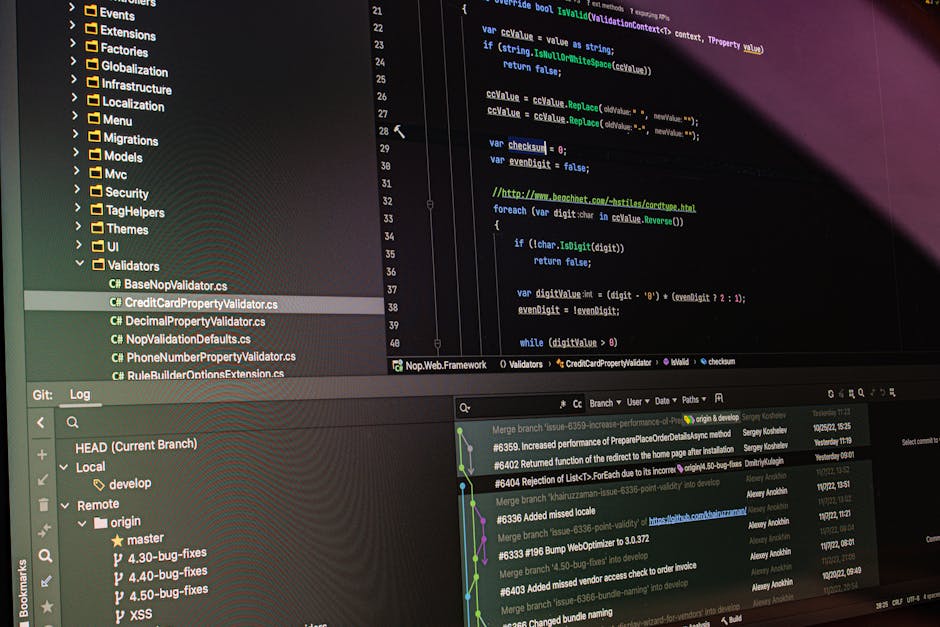
Photo by Daniil Komov on Pexels
## 7. Batch Repository Operations Script
Manage multiple repos simultaneously—ideal for microservice architectures.
### Script: `batch-git.sh`
“`bash
#!/bin/bash
for repo in ~/projects/*/; do
cd “$repo”
echo “Updating $repo…”
git pull –rebase
git stash drop
done
“`
Variations:
- `git status –short` for health check
- `git log –oneline -5` for recent changes
- `git gc` for optimization
## How to Integrate These Scripts into Your Workflow
Step 1: Create a `scripts/` directory in your project root
Step 2: Add scripts with executable permissions (`chmod +x`)
Step 3: Run manually or schedule with cron/CI
Best practices:
- Store scripts in version control (yes, Git scripts in Git!)
- Use environment variables for secrets
- Add `set -e` at top to fail on errors
- Log outputs to files for debugging
## Common Pitfalls to Avoid
- Hardcoded paths – Use `$(pwd)` or relative paths
- Missing error handling – Always check exit codes
- Ignoring permissions – Scripts must be executable
- Over-automating – Keep manual approval for destructive operations
## Conclusion
Git automation scripts are non-negotiable for modern development teams. They reduce manual errors, enforce consistency, and free up hours for actual coding. Start with the branch cleanup and commit validator—they deliver immediate ROI.
Ready to supercharge your workflow? Download these scripts and hundreds more free at freefile.store. Our curated library includes DevOps tools, automation templates, and developer utilities—all tested and ready to deploy. Visit today and transform your Git experience.